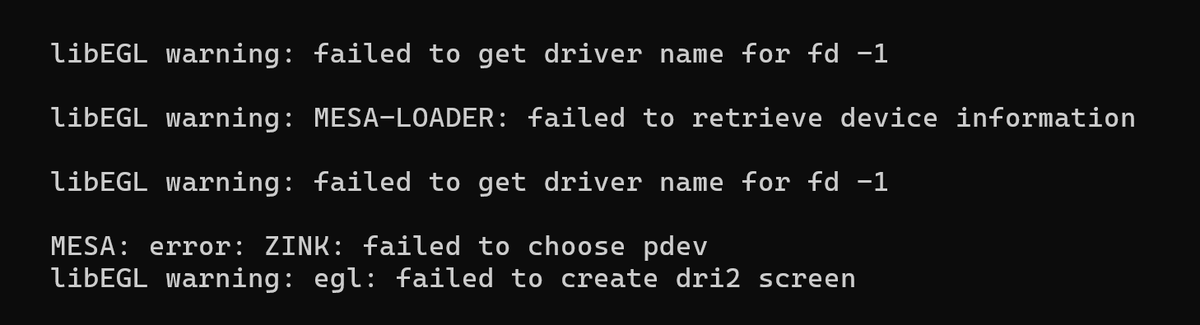
Recently I ran into an interesting graphics issue while developing a Rust GTK4 application under WSL2 on Windows. The application itself worked fine on native Linux systems, but under WSLg it produced a stream of Mesa and EGL warnings during startup.
libEGL warning: failed to get driver name for fd -1

libEGL warning: MESA-LOADER: failed to retrieve device information

libEGL warning: failed to get driver name for fd -1

MESA: error: ZINK: failed to choose pdev
libEGL warning: egl: failed to create dri2 screen
The application silently fell back to software rendering. Since GTK4 increasingly relies on GPU acceleration through OpenGL or Vulkan, this immediately suggested a problem somewhere in the graphics stack that we want to solve.
Investigating the graphics backend
The first step was checking whether WSLg graphics support was actually working. Running:
glxinfo -B
showed an important clue:
OpenGL renderer string: llvmpipe (LLVM ...)
Accelerated: no
Instead of using the GPU, Mesa had fallen back to llvmpipe, a CPU-based software renderer. Vulkan diagnostics confirmed the same issue:
vulkaninfo --summary
which reported:
deviceType = PHYSICAL_DEVICE_TYPE_CPU
deviceName = llvmpipe
Interestingly, WSLg itself appeared healthy:
/dev/dxgexisted- Wayland was active
- Vulkan initialization worked
This meant the problem was not GTK4 itself, but rather how Mesa selected its rendering backend under WSL2.
Understanding the failure
GTK4 can use multiple rendering paths:
- Cairo (software)
- OpenGL
- Vulkan
On this system GTK4 attempted a Vulkan/Zink path first. Zink is a Mesa driver that implements OpenGL on top of Vulkan. However, Vulkan device selection failed:
ZINK: failed to choose pdev
Mesa then attempted several fallback initialization paths involving EGL and DRI2 before eventually dropping back to software rendering.
The remaining warning:
egl: failed to create dri2 screen
turned out to be mostly harmless. It simply indicated that Mesa attempted a traditional Linux DRI initialization path that does not fully apply inside WSLg.
The solution
The breakthrough came from explicitly forcing Mesa and GTK4 onto the D3D12-backed WSLg rendering path.
The following environment variables solved the issue completely:
export GSK_RENDERER=vulkan
export GALLIUM_DRIVER=d3d12
export MESA_LOADER_DRIVER_OVERRIDE=d3d12
After applying these settings:
- the EGL/DRI warnings disappeared
- GTK4 rendered correctly
- Vulkan initialized successfully
- Mesa stopped using
llvmpipe
The rendering pipeline effectively became:
GTK4
  → Vulkan renderer
  → Mesa D3D12 backend
  → WSLg
  → Windows GPU
instead of:
GTK4
  → Vulkan/Zink
  → failed Vulkan device selection
  → EGL/DRI fallback probing
  → llvmpipe software rendering
Verifying the result
A useful trick was querying the OpenGL renderer directly inside the Rust GTK4 application using gtk4::GLArea and the gl crate. This allowed logging the active renderer at startup.
Before the fix:
OpenGL renderer: llvmpipe
After the fix:
OpenGL renderer: D3D12 (...)
This confirmed that hardware acceleration was finally active.
Final thoughts
WSLg graphics support has improved enormously, but GPU acceleration can still be fragile depending on Mesa versions, Vulkan drivers, Windows GPU drivers, and GTK renderer selection. In this case the issue was not GTK4 itself, but an unfortunate interaction between Vulkan device selection and Mesa backend probing.
For GTK4 development under WSL2, explicitly selecting the D3D12 backend currently appears to be the most reliable configuration:
export GSK_RENDERER=vulkan
export GALLIUM_DRIVER=d3d12
export MESA_LOADER_DRIVER_OVERRIDE=d3d12
If you encounter mysterious EGL, Zink, or llvmpipe warnings under WSLg, checking which renderer Mesa actually selected is an excellent place to start.